 ToothSpin
FAQ
Common questions and what to do when something doesn't work.
Setup
- Do I need a second Bluetooth dongle?
- How do I keep Home Assistant off ToothSpin’s dongle?
- Which adapter is hci0, which is hci1?
- Do I need the Music Assistant token?
- Which Music Assistant versions work?
- Does it work without Music Assistant?
- Where is ToothSpin in Home Assistant?
Using it
- How do I put ToothSpin on my phone’s home screen?
- My phone doesn’t find ToothSpin
- The phone shows ToothSpin as a computer
- It’s connected, but nothing plays
- Why doesn’t Music Assistant show the song title?
- Why no aptX, LDAC or other higher-quality codecs?
- Why are the speakers off after a long pause?
- Can several phones play at once?
- How do I stop a speaker from getting too loud?
- Can I take phone calls through it?
Trouble
- ToothSpin says something is wrong
- Some speakers won’t group, or won’t leave a group
- Why does ToothSpin decide about pairing on my other adapters?
- Something else
Setup
Do I need a second Bluetooth dongle?
No, but it’s recommended. ToothSpin can share an adapter with Home Assistant, whose Bluetooth integration only scans for small devices like sensors. While it scans, phones may drop out or stutter. A cheap USB dongle just for ToothSpin avoids that.
How do I keep Home Assistant off ToothSpin’s dongle?
In Settings → Devices & services → Bluetooth: choose Ignore if the
dongle is listed under Discovered, or open it and disable it (⋮ menu)
if it was added. Then set ToothSpin’s Bluetooth adapter to it, or to
auto.
Which adapter is hci0, which is hci1?
ToothSpin’s log names the adapter it uses, and if the configured one
doesn’t exist, ToothSpin lists the ones it found. Or set auto: it picks
one Home Assistant doesn’t use.
Do I need the Music Assistant token?
It’s strongly recommended. Without it you can’t pick speakers in ToothSpin, the phone’s volume buttons don’t control the speakers, and you pair each phone with Music Assistant by hand. Create one in Music Assistant (your profile → Tokens → Create token) and paste it into ToothSpin’s configuration.
Which Music Assistant versions work?
2.10.7 or newer, including the 2.11 betas from mid-October 2026 on. With an older version, ToothSpin says so in Finish setup.
Does it work without Music Assistant?
With Sendspin speakers, yes. ToothSpin is made for Music Assistant, but with only Sendspin speakers (e.g. ESPHome’s) it can run its own Sendspin server: standalone mode, as the Home Assistant App ToothSpin Standalone or a container. It only plays the phones, only on Sendspin speakers, and doesn’t work together with Music Assistant’s Sendspin integration.
Where is ToothSpin in Home Assistant?
In the sidebar. If you removed it: Settings → Apps → ToothSpin → Show in sidebar.
Using it
How do I put ToothSpin on my phone’s home screen?
With the Home Assistant Companion app (Android):
- Open Settings → Companion app → Manage shortcuts and add a shortcut, e.g. labelled ToothSpin.
- Choose the type Dashboard, and enter
/app/8558c230_toothspinas Dashboard view or Dashboard (it takes any page, not only dashboards). For ToothSpin Standalone, enter/app/8558c230_toothspin_standalone. - Save it, then long-press the shortcut to pin it to the home screen.
That path is ToothSpin’s page in Home Assistant; it’s in the address bar when you open ToothSpin from the sidebar. The shortcut uses Home Assistant’s login and also works away from home.
Without the Companion app: set a port for the web interface in the app’s
Network section (e.g. 8080) and use “Add to Home screen” in the
phone’s browser on http://<Home Assistant>:8080/. That page has no login,
so only use it at home.
My phone doesn’t find ToothSpin
Phones can only pair while pairing is open: press Add phone in ToothSpin, then search on the phone within two minutes. Paired phones connect like to any Bluetooth speaker.
The phone shows ToothSpin as a computer
That’s set in the host’s Bluetooth configuration, which an App can’t change. Audio works either way.
It’s connected, but nothing plays
- If Finish setup asks to Let ToothSpin receive the phones’ audio, do that first: Home Assistant’s own audio service grabs it otherwise.
- Switch on a speaker on the phone’s card (needs the token), or play the phone’s input from Music Assistant: select a player, Browse, pick the input, Play.
- The input only exists once the phone is paired with Music Assistant. With a token that happens by itself; otherwise press Allow pairing on the phone’s card and enter the code in Music Assistant.
Why doesn’t Music Assistant show the song title?
Sendspin, the protocol between ToothSpin and Music Assistant, can’t send an input’s title, artist or cover yet, only its audio. ToothSpin’s own app shows title and artist on the phone’s card, as far as the phone reports them. Support in Sendspin is being discussed (Sendspin/backlog#56).
In standalone mode, ToothSpin is the Sendspin server itself and sends title, artist, album and the track’s position to speakers with a display. Covers aren’t sent.
Why no aptX, LDAC or other higher-quality codecs?
ToothSpin offers phones only AAC and SBC, on purpose:
- Fewer dropouts. Phones pick the highest-bitrate codec offered. aptX HD and LDAC send 500-990 kbit/s, AAC and SBC 200-350. On a USB dongle, especially with several phones at once, the high bitrates drop out much sooner.
- Little to gain. AAC at the bitrates phones use is hard to tell from the original. ToothSpin passes the audio on as 48 kHz, 16-bit, so the high-resolution extras of LDAC or aptX HD wouldn’t reach the speakers.
- LDAC can’t be received at all. Sony’s open-source LDAC library can only send, not receive.
iPhones only send AAC and SBC anyway.
Why are the speakers off after a long pause?
ToothSpin keeps a paused phone’s speakers for 10 minutes. After that, Music Assistant lets them go, and resuming doesn’t switch them back on: switch them on again in ToothSpin.
That’s a known limitation: taking the speakers back by itself could cut off what someone else started on them meanwhile. It’s on our backlog.
In standalone mode, nothing else plays on the speakers, so they stay switched on however long the pause: they go quiet while the phone pauses and play again when it resumes.
Can several phones play at once?
Yes. Each phone is its own input and plays on its own speakers.
How do I stop a speaker from getting too loud?
Set its Maximum volume in Music Assistant’s player settings. ToothSpin’s Maximum start volume also turns a loud speaker down when a phone starts on it. Speakers showing Fixed volume are set on the speaker or its amplifier.
Can I take phone calls through it?
No. ToothSpin only receives music, no calls.
Trouble
ToothSpin says something is wrong
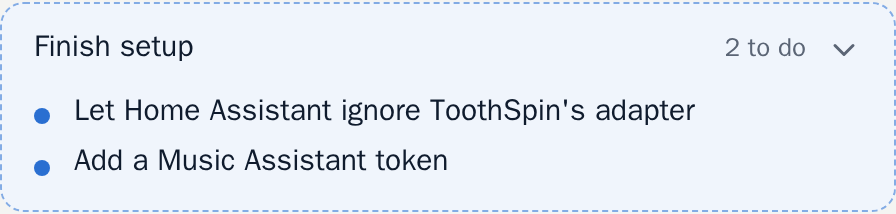
Anything left to set up shows up as Finish setup at the top of the app. Tap it for the steps, with links into Home Assistant. It goes away once done; ToothSpin works meanwhile.
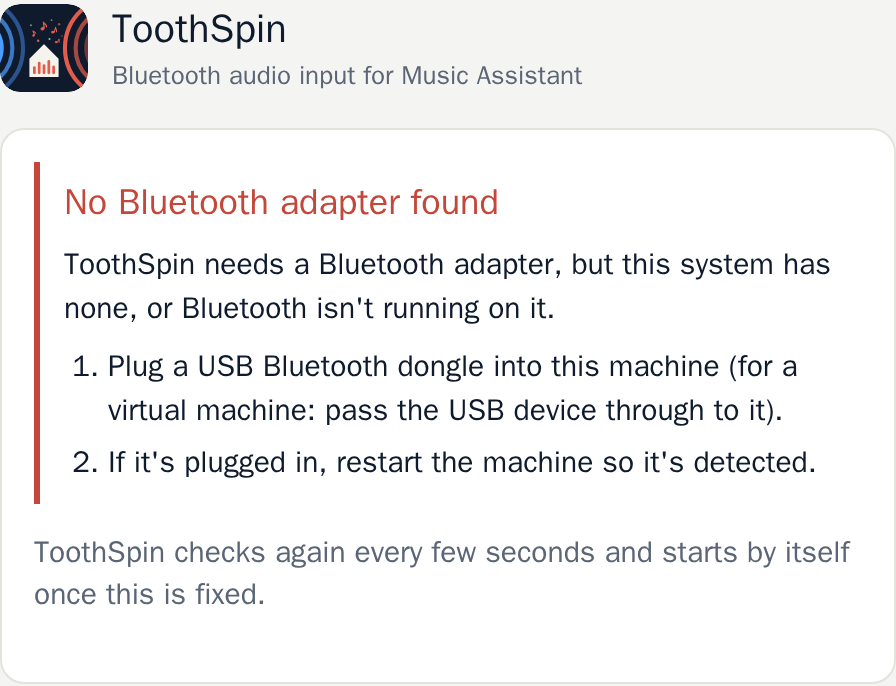
If ToothSpin can’t start at all, it says why instead, also as a Home Assistant notification, and starts by itself once that’s fixed.
Some speakers won’t group, or won’t leave a group
ToothSpin says Music Assistant didn’t group … with …, or Music Assistant shows an error like set_members needs to be implemented. Often only one direction fails: the speaker can lead a group, but not join one.
Usually Music Assistant has a stale or reused device: an old player entry with the same ID, e.g. from a Raspberry Pi that was a Squeezelite player before it became a Sendspin speaker. Music Assistant then mixes the two up.
Remove the old entry in Music Assistant (Settings → Players) and add the speaker again if needed. If that doesn’t help, open an issue.
Why does ToothSpin decide about pairing on my other adapters?
Bluetooth on Linux (BlueZ) asks one program per machine whether a device may pair, the default agent, and it asks about every adapter, not just one. ToothSpin has to be that agent to keep strangers off its own adapter. So it also gets asked about the others, e.g. the one Home Assistant uses for its Bluetooth devices, and has to answer: no answer counts as a refusal.
The option Pairing on other Bluetooth adapters (OTHER_ADAPTERS_PAIRING)
sets the answer:
accept(default): pairings on the other adapters go through, e.g. ones Home Assistant starts. Whether an adapter can be paired with at all stays up to whoever uses it.refuse: no device can pair with them, Home Assistant included. Choose it if nothing else on the machine pairs Bluetooth devices.
Devices already paired with another adapter connect either way, and ToothSpin’s own adapter only ever accepts pairing while you’ve opened it.
Something else
Check the log (Settings → Apps → ToothSpin → Log) and open an issue with it.