 ToothSpin
Install
Three ways to run it. If you use Home Assistant, take the App.
You need Music Assistant 2.10.7 or newer and a Bluetooth adapter, ideally a USB dongle just for ToothSpin: phones stay connected more reliably than on a shared adapter. No Music Assistant? There’s a standalone mode for Sendspin speakers.
Home Assistant App

- Add the repository: click the button above, or add
https://github.com/eknoes/toothspinunder Settings → Apps → App store → ⋮ → Repositories. - Install ToothSpin and open its Configuration tab.
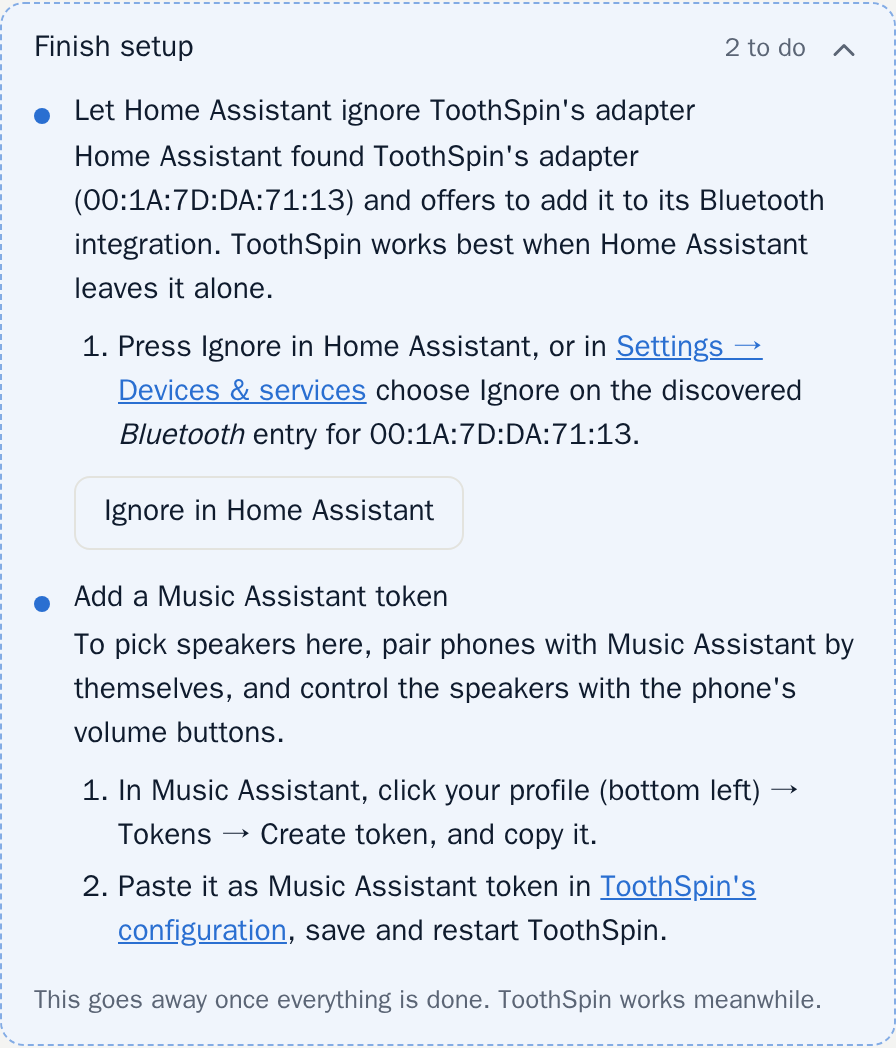
- Paste a Music Assistant token (recommended): in Music Assistant, your profile (bottom left) → Tokens → Create token. Without it you can’t pick speakers in ToothSpin, and you pair each phone with Music Assistant by hand.
- Choose the adapter: keep
hci0, or for a dongle just for ToothSpin set it here (e.g.hci1). Then keep Home Assistant off that dongle: in Settings → Devices & services → Bluetooth, ignore it if it’s under Discovered, or disable it if it was added. - Start ToothSpin and open it from the sidebar.
- Add a phone: press Add phone and connect to “ToothSpin” in the phone’s Bluetooth settings. Play something and switch on a speaker.
If anything is missing, Finish setup at the top of the app lists what to do, with links into Home Assistant.
All options: the App’s Documentation tab. Questions: the FAQ.
Docker or Podman
On your own Linux machine. The host needs BlueZ (bluetoothd) with the
dongle, and no other Bluetooth audio stack (a desktop PipeWire or
PulseAudio would compete for the phones). The image brings the rest.
docker run -d --name toothspin --restart unless-stopped \
  --network host \
  -v /run/dbus/system_bus_socket:/run/dbus/system_bus_socket \
  -v toothspin-data:/data \
  --user 1000:1000 --cap-drop ALL --security-opt no-new-privileges \
  -e MA_TOKEN=<token> \
  ghcr.io/eknoes/toothspin
The web UI is at http://<host>:8080/, without a login, so keep it on your
home network. An existing volume or a host folder must belong to uid 1000
first (chown -R 1000:1000). Rootless Podman uses --userns keep-id
instead of --user, SELinux hosts need a small policy module. Details and all options: the
README.
Fedora CoreOS machine
A small VM with the dongle passed through, or a Raspberry Pi 4, set up on first boot from one config file: deploy/coreos.
Without Music Assistant
ToothSpin is made for Music Assistant. With only Sendspin speakers (e.g. ESPHome’s), standalone mode plays the phones on them directly. It only plays the phones, only on Sendspin speakers that don’t insist on being paired, and doesn’t work next to Music Assistant’s Sendspin integration.
- Home Assistant: add the repository as above and install ToothSpin Standalone instead of ToothSpin.
- Docker or Podman: use the image
ghcr.io/eknoes/toothspin-standalonein the setup above.
Details: standalone mode.